Before installing and using Home Assistant Connect ZWA-2, find a good spot for it.
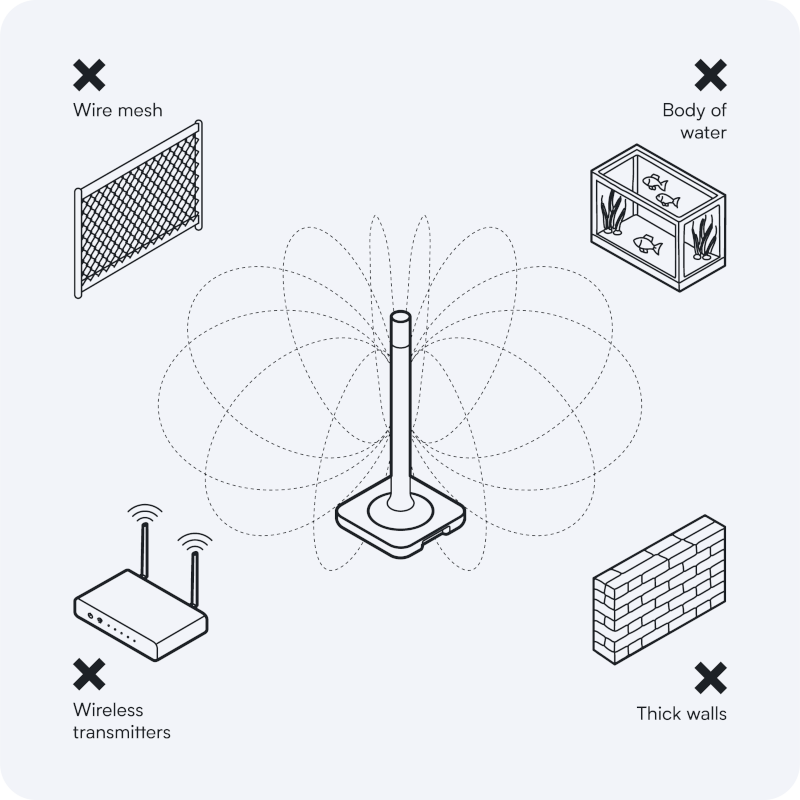
- Place the device away from objects that may cause interference or block signals, such as:
- thick walls
- wire mesh
- metal (such as server rack housings or wall mounting brackets)
- other transmitters (such as computers, routers, USB 3.0 ports)
- an aquarium.
- Don't fix it into place permanently yet.
- After you have connected the device to Home Assistant, you can check if your device is in a good spot or if there is interference:
- Follow the steps under checking the distance to other transmitters to avoid interference.
- After you have connected the device to Home Assistant, you can check if your device is in a good spot or if there is interference:
Related topics
- Checking the distance to other transmitters to avoid interference
- Installing Home Assistant Connect ZWA-2
- Device overview
- Forming a new Z-Wave network with Home Assistant
- Migrate an existing Z-Wave network to Home Assistant Connect ZWA-2
Edit this article on GitHub