Alongside RS-232 Port 1 and Port 2, Home Assistant Connect AUX-2 can talk to a serial device through a USB-to-serial dongle in the USB-A port. Use a dongle for an extra serial connection, or for a different electrical standard such as RS-485 without an inline adapter.
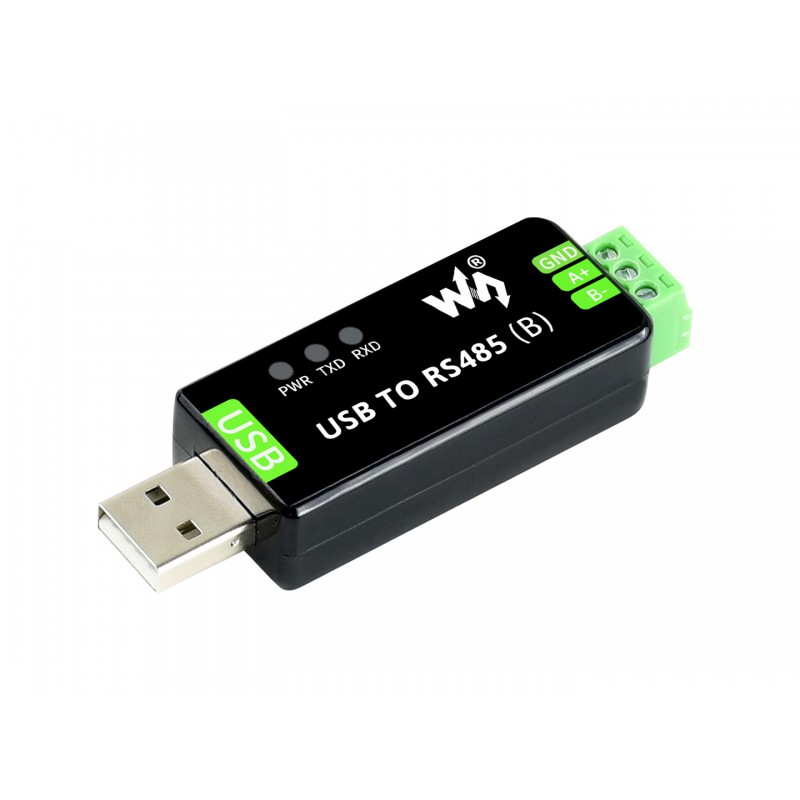
Supported dongles
Connect AUX-2 supports the Waveshare USB TO RS485 (B) dongle only.
Connect AUX-2 identifies a dongle by its USB vendor and product ID, and the firmware recognizes only the Waveshare dongle's IDs. Other dongles aren't recognized, including other brands with the same CH343 chip.
Before you start
Set up Connect AUX-2 in the ESPHome integration. The dongle's serial connection reaches Home Assistant through the ESPHome serial proxy.
How the dongle appears in Home Assistant
The dongle appears as an extra serial proxy named "USB Serial Port". The proxy is configured as an RS-485 port, so use it with an RS-485 integration. The integration that connects to the proxy sets the baud rate and other port settings.
Using a dongle with a Connect radio adapter
Connect AUX-2 has one USB-A port. Use it for either a Connect radio adapter or a USB-to-serial dongle, not both at the same time. USB hubs aren't supported.
To find an integration for your device, see Check device compatibility. To connect a Modbus device, see Using Connect AUX-2 with Modbus devices.
Edit this article on GitHub