Home Assistant Connect AUX-2 plays audio through its 3.5 mm audio output to a stereo, AV receiver, or active speakers. Unpowered speakers need an audio amplifier.
Connect AUX-2 plays audio through Sendspin, which keeps it in sync with your other speakers. Use Music Assistant to play audio on it.
To get started, follow the Connect AUX-2 audio guide.
What Sendspin is
Sendspin is an open standard from the Open Home Foundation for synchronized whole-home audio. A Sendspin source sends audio to the Sendspin speakers on your network, and they play it in sync, with no cloud service or account.
Connect AUX-2 is a native Sendspin player. It outputs audio from any Sendspin source to the audio equipment connected to it. Music Assistant is a free Sendspin source that works with Home Assistant.
Sendspin is on by default. To turn it off, turn off the Sendspin switch on the Connect AUX-2 device page in Home Assistant.
Connect the audio output
The audio output is a single 3.5 mm jack that plays either analog or digital audio, one at a time. Connect AUX-2 detects the cable you plug in and sets Audio Output to match:
| Audio Output setting | What the jack plays | Cable to use |
|---|---|---|
| Analog | Analog stereo audio | 3.5 mm audio cable, for example 3.5 mm to RCA |
| Digital | Optical (S/PDIF) digital audio | Mini-TOSLINK optical cable, for example mini-TOSLINK to TOSLINK |
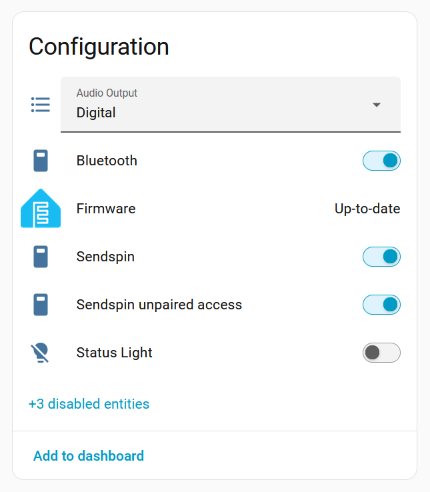
To find the Audio Output setting:
- In Home Assistant, go to Settings > Devices & services > ESPHome.
- Select Connect AUX-2.
- Find Audio Output on the Configuration card.
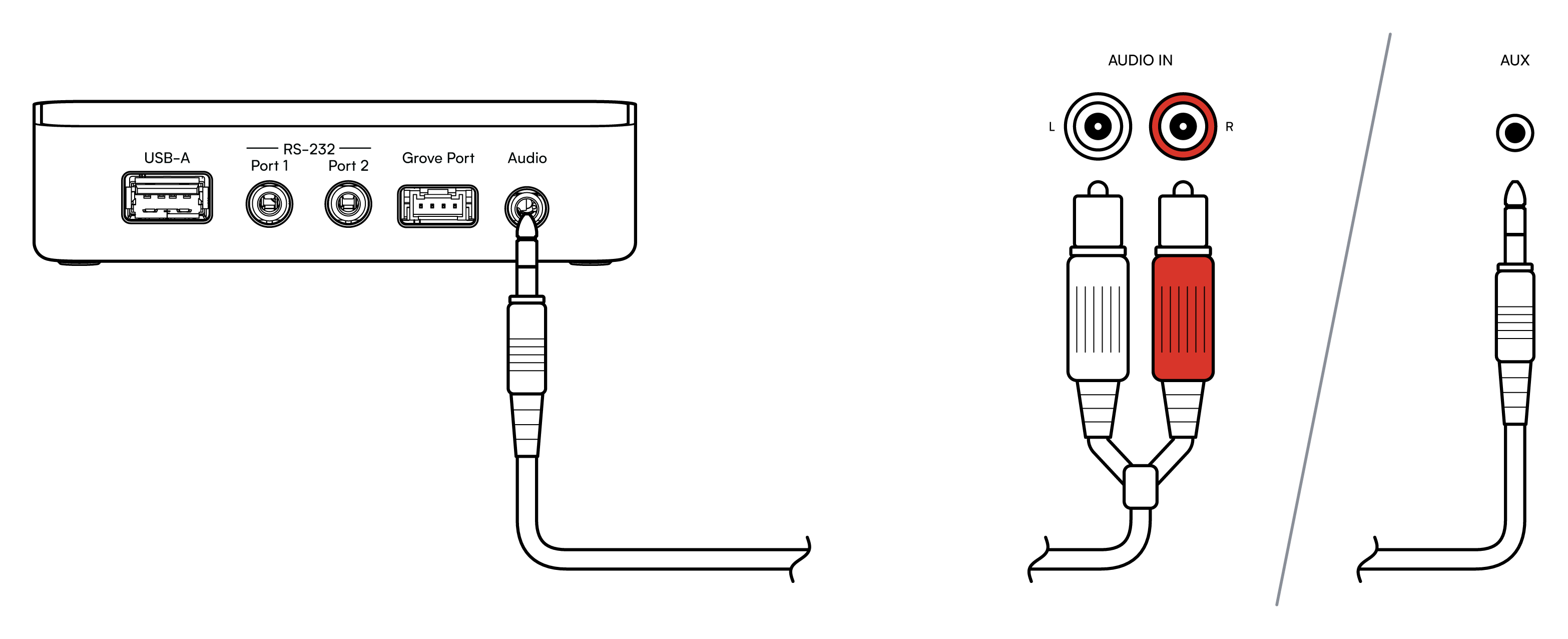
Connect audio equipment to the 3.5 mm audio output only, never to RS-232 Port 1 or Port 2. See the port warning in Ports and controls.
Common connections are a pair of RCA inputs, white for left and red for right, often labeled AUDIO IN, or a 3.5 mm input labeled AUX.
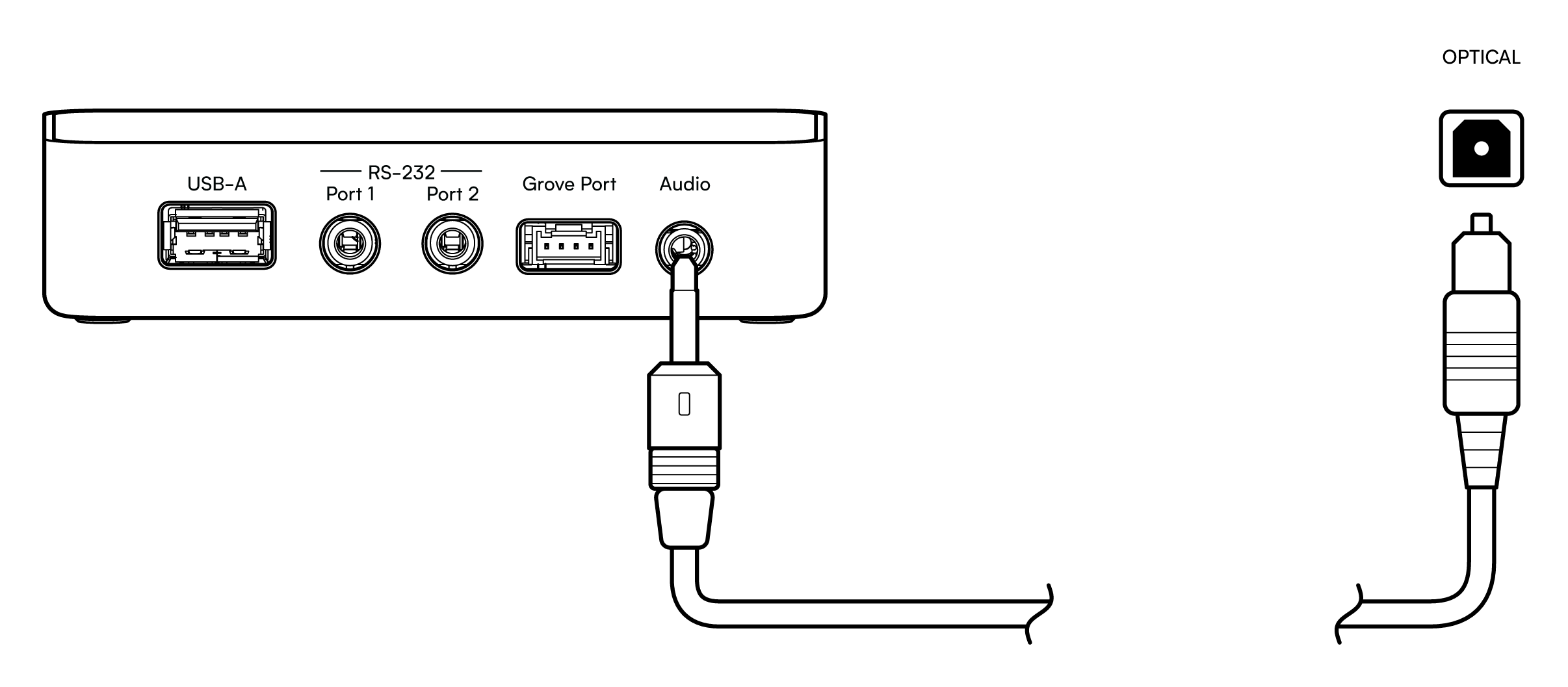
For digital audio, use a mini-TOSLINK to TOSLINK cable and connect it to an optical input, often labeled OPTICAL.
Analog or digital output
Connect AUX-2 sets Audio Output to Analog or Digital automatically, based on the cable you plug in. With Digital set and a mini-TOSLINK cable plugged in, a red light glows inside the audio output.
If Connect AUX-2 doesn't detect your cable correctly, set the output yourself:
- In Home Assistant, go to Settings > Devices & services > ESPHome and select Connect AUX-2.
- Enable the Automatic output mode selection entity, which is disabled by default:
- Expand the entity not shown section to see disabled entities.
- Select Automatic output mode selection, select the cogwheel, and turn on Enable.
- Select Update, then select OK. The entity takes about 30 seconds to become enabled.
- Turn off Automatic output mode selection.
- Under Configuration, set Audio Output to Analog or Digital to match your cable.
Connect AUX-2 remembers the setting after a restart.
Play audio with Music Assistant
Any Sendspin source can play audio on Connect AUX-2. With Music Assistant, Connect AUX-2 works as a synchronized player with interruption-free announcements:
- Make sure Music Assistant is installed and running.
- Music Assistant discovers Connect AUX-2 automatically as a Sendspin player.
- Name it during setup, for example "Living Room AUX-2".
- Group it with other players for whole-home audio. For best results, group native Sendspin players together, for example Connect AUX-2 and Voice Preview Edition.

If you hear no audio, see Troubleshooting.
Related integrations
Edit this article on GitHub