Port legend
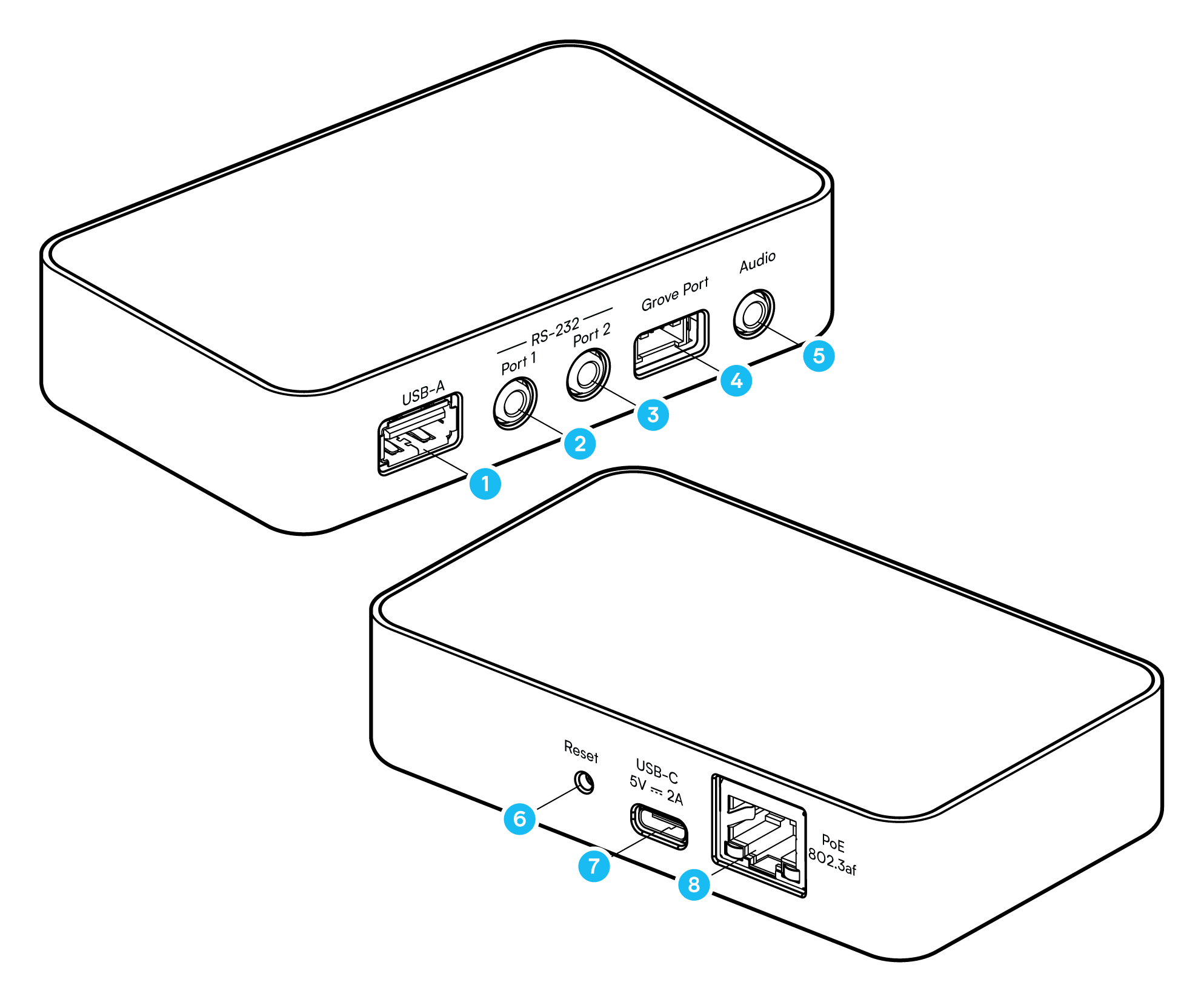
| # | Port or control | Description |
|---|---|---|
| 1 | USB-A host | For one Connect ZWA-2 or a supported USB-to-serial dongle. |
| 2 | RS-232 Port 1 | Serial port, with a TX/RX switch on the underside of the device. |
| 3 | RS-232 Port 2 | Serial port, with a TX/RX switch on the underside of the device. |
| 4 | Grove Port | Provides I2C and GPIO to Grove sensors. |
| 5 | 3.5 mm audio output | Analog or optical (S/PDIF), one at a time, output only. See Streaming audio with Sendspin. |
| 6 | RGB status LED and Reset button | The LED lights during a reset. The Reset button restores the factory settings and restarts the device. See Resetting and removing Connect AUX-2. |
| 7 | USB-C | Power input. |
| 8 | Ethernet with PoE | Power over Ethernet (PoE) carries power and data over one cable. |
For electrical figures and supported models, see Specifications.
Notice
The three 3.5 mm ports are not interchangeable
Use the 3.5 mm audio output for audio equipment only. Use RS-232 Port 1 and Port 2 for serial equipment only.
The serial ports carry RS-232 signaling at ±5 V, well above line level. Connecting a serial port to an amplifier, AV receiver input, headphones, or active speakers can damage that equipment. Connecting the audio output to a serial device can also cause damage.
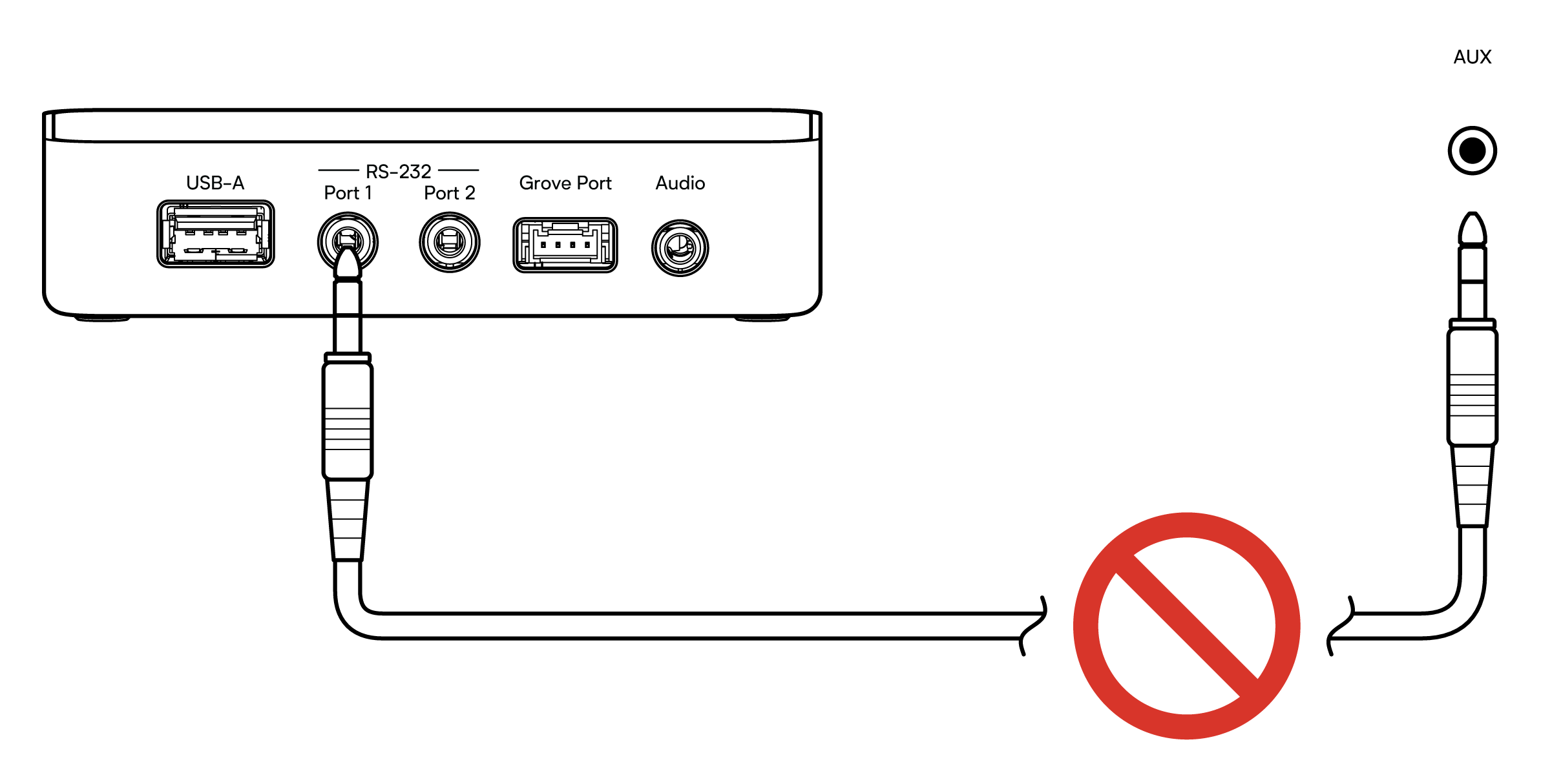
The three connectors are physically identical, so a cable fits in any of them. Check the labeling before connecting.
LEDs
- Power LED: inside the casing, next to the USB-C port. It lights white whenever Connect AUX-2 has power.
- RGB status LED: stays off in normal use. During a reset, it turns red. See Reset the device.
- Audio output: a red light glows inside the 3.5 mm audio output when Audio Output is set to Digital and a mini-TOSLINK cable is plugged in. This is the optical (S/PDIF) signal.
Edit this article on GitHub