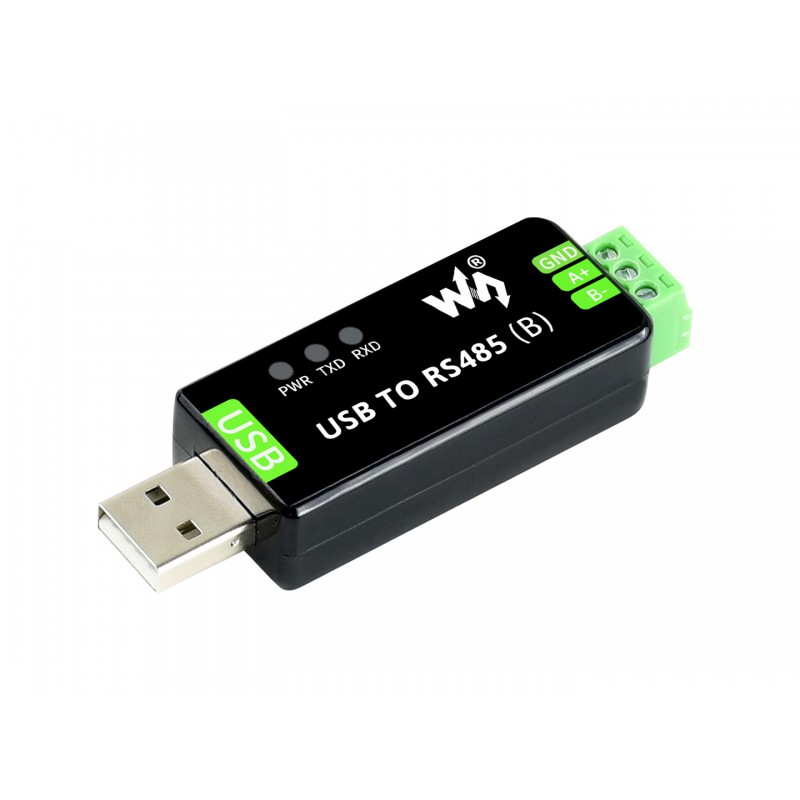
Home Assistant Connect AUX-2 connects Modbus devices that use RS-485, such as solar inverters, boilers, and sensors, to an existing Modbus integration in Home Assistant. A Waveshare USB TO RS485 (B) dongle in the USB-A port makes the RS-485 connection, and the integration talks to your device through Connect AUX-2.
Prerequisites
- A Waveshare USB TO RS485 (B) dongle, the only USB-to-serial dongle Connect AUX-2 supports. See Using a USB-to-serial dongle.
- A Modbus integration for your device that works with Connect AUX-2. See Compatible integrations.
- Home Assistant 2026.9 or newer.
- Connect AUX-2 set up in Home Assistant through the ESPHome integration. See Set up Home Assistant Connect AUX-2.
Connect the dongle
- Plug the dongle into the USB-A port of Connect AUX-2. The dongle takes the USB-A port, so you can't use a Connect radio adapter at the same time.
- Wire the dongle's A+, B-, and GND terminals to the matching RS-485 terminals on your Modbus device.
- In Home Assistant, check that the dongle appears on the Connect AUX-2 device as a serial proxy named "USB Serial Port".
Add the Modbus integration
- In Home Assistant, add the Modbus integration for your device.
- During setup, select the Connect AUX-2 "USB Serial Port" from the list of serial ports.
Compatible integrations
Find the integration for your device in Home Assistant's Modbus-controlled category. Integrations that offer a serial (RS-485) connection can use Connect AUX-2. Integrations that connect only over the network, such as Fronius and Sofar, can't.
Examples of integrations that offer a serial connection:
- SolarEdge Modbus, for SolarEdge inverters
- Flexit, for Flexit air handling units. Serial proxy support is experimental.
Community integrations
Community integrations are made and maintained by their developers, outside Home Assistant. Community integrations for Modbus devices over RS-485:
To build your own Modbus integration, see Building serial and Modbus integrations.
Edit this article on GitHub